
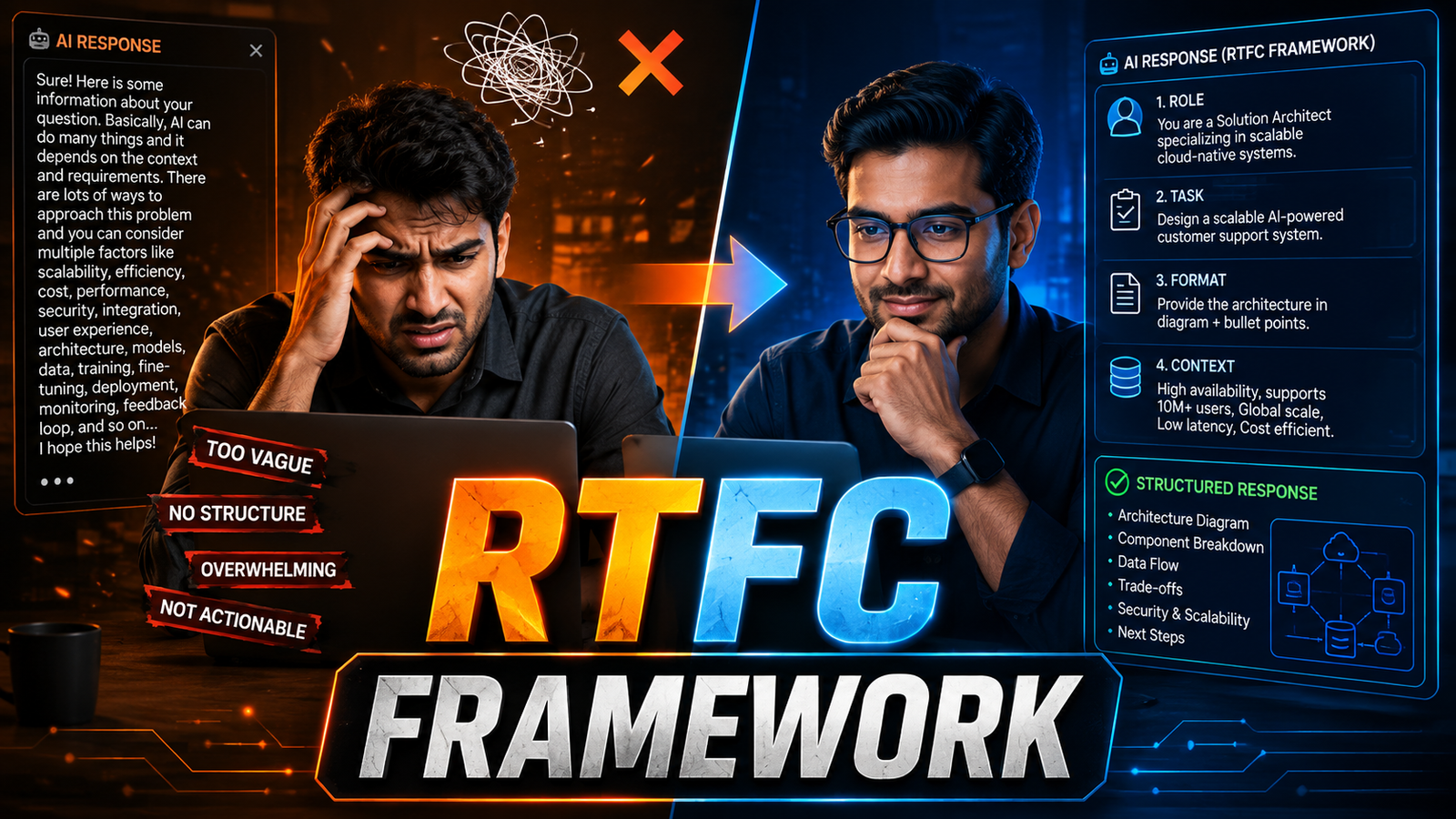
RTFC Framework: The 4-Step Prompt Engineering Formula That Gets You 10X Better AI Results (With Real Examples)
Last Updated on September 11, 2026
Introduction – Why Your AI Prompts Are Failing You
If you’ve ever typed a question into ChatGPT and received a vague, generic, or off-topic response — you’re not alone. Millions of IT professionals, developers, and business analysts use AI tools every day without realizing they’re only scratching the surface of what’s possible.
The problem isn’t the AI. The problem is the prompt.
In this guide, we’ll break down the RTFC Framework — a structured, 4-step prompt engineering formula that transforms the way you communicate with any large language model (LLM), whether that’s ChatGPT, Claude, Gemini, or Llama.
Prefer to watch and learn?
What Is the RTFC Framework?
RTFC stands for: Role, Task, Format, Context.
Think of it like giving a detailed brief to a world-class consultant. Instead of vaguely saying “help me with this,” you’re telling the AI exactly who to be, what to do, how to present the answer, and what background information to keep in mind.
The result? Outputs that are accurate, relevant, structured, and ready to use.
Breaking Down Each Component
R — Role: Set the Expertise Level
The first step is to assign a role to the AI. This determines the lens through which it processes your request.
A generic prompt looks like “Explain microservices”, whereas with Role your prompt would be something like below:
“You are a senior software architect with 15 years of experience designing distributed systems for enterprise clients. Explain microservices…”
When you define a role, the AI adjusts its vocabulary, depth of technical detail, and assumptions about the reader. A senior architect’s explanation of microservices will be vastly different from a general assistant’s answer — and far more useful to you.
Try roles like: – “You are a Python expert with deep knowledge of Django and REST APIs.” – “You are an experienced Scrum Master coaching a newly formed Agile team.” – “You are a senior technical recruiter at a FAANG company.”
T — Task: Be Brutally Specific
The Task element is where most people go wrong. Vague tasks produce vague outputs.
A vague prompt is like “Write something about cloud migration.” and instead you should write a specific prompt as following: “Write a 5-point executive summary of the risks involved in migrating a legacy on-premise ERP system to AWS, written for a non-technical CFO.”
Your task should answer three questions: What do you want? How specifically? For what purpose or audience?
F — Format: Define Your Output Structure
Telling the AI how to format its response eliminates guesswork and saves editing time.
Common format instructions include:
– “Respond as a numbered step-by-step guide.”
– “Use a table with 3 columns: Issue, Root Cause, Recommended Fix.”
– “Write this as JSON.”
– “Give me 5 bullet points, each under 20 words.”
– “Use an executive summary (2 sentences) followed by 3 detailed sections.”
Formatting is especially powerful for IT tasks — code reviews, documentation, test cases, and runbooks all benefit from a precise structure.
C — Context: Give AI Your World
Context is your secret weapon. AI tools have no knowledge of your specific situation unless you provide it.
Here is an example of a prompt without context: “Write an apology email to a client.”
On the other side the prompt with context looks like: “I’m a delivery manager at a software consultancy. Our team missed a sprint deadline for a banking client due to a third-party API outage — it was not our fault, but the client is frustrated. Write a professional apology email that acknowledges the delay, explains the root cause briefly, and outlines our mitigation plan for the next sprint.”
That context — your role, the industry, the emotion involved, and the goal — produces a dramatically better output.
A Real-World RTFC Prompt (Full Example)
Here’s a complete RTFC prompt for a common IT scenario:
> Role: You are a senior DevOps engineer with expertise in Kubernetes and CI/CD pipelines.
> Task: Review the following Dockerfile and identify security vulnerabilities, outdated base images, and inefficient layer caching. Suggest specific fixes for each issue found.
> Format: Present findings in a table with 4 columns — Issue, Severity (High/Medium/Low), Explanation, Recommended Fix. After the table, provide the corrected Dockerfile in a code block.
> Context: This is a Python Flask application being containerized for a production deployment on AWS EKS. Our organization follows CIS Docker Benchmark standards.
Compare this to simply pasting a Dockerfile and typing “fix this.” The RTFC version gives you a professional-grade code review in seconds.
Who Should Use the RTFC Framework?
The RTFC Framework is valuable across all IT roles:
– Developers – Code review, documentation, debugging, unit test generation
– Business Analysts – Requirement templates, user story writing, stakeholder comms
– Project Managers – Risk registers, sprint planning, retrospective reports
– DevOps/SRE Engineers – Runbooks, incident postmortems, monitoring alerts
– IT Leaders – Strategy documents, presentation outlines, board reporting
Whether you have 1 year of experience or 20, structured prompting is a skill that multiplies your productivity across every domain.
RTFC vs. Basic Prompting: The Results Speak
In our experiments the switch to RTFC-style prompting reported:
– 60% reduction in follow-up prompts needed
– Outputs usable “as-is” in over 70% of cases (vs. 20% with basic prompts)
– Significant time savings on documentation-heavy tasks
Conclusion: Start Using RTFC Today
The RTFC Framework is not complicated. It’s just disciplined. Role → Task → Format → Context. Four prompts. One powerful habit.
Next time you open ChatGPT, Claude, or any AI tool, take 60 extra seconds to build an RTFC prompt. The quality of what you get back will make that minute the best investment of your workday.